The dashboard in Sylius#
To follow the workflows of your shop from the Sylius back office, install
gplanchat/durable-plugin (Packages) and open Configuration > Durable
Dashboard. The page is read-only.
Screenshots#
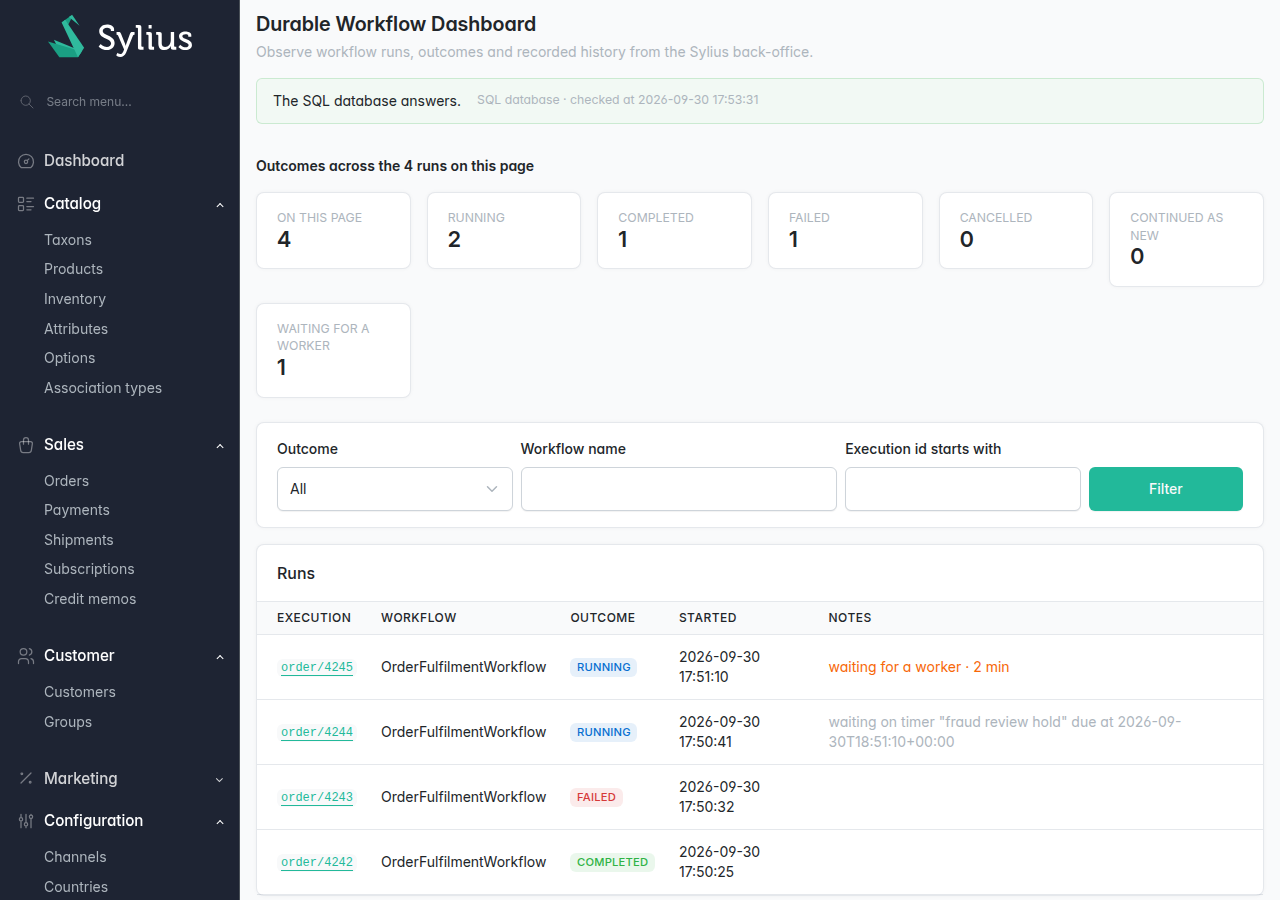
Configuration > Durable Dashboard, over four runs of an order workflow: one completed, one failed, one waiting on a timer and one waiting for a worker.
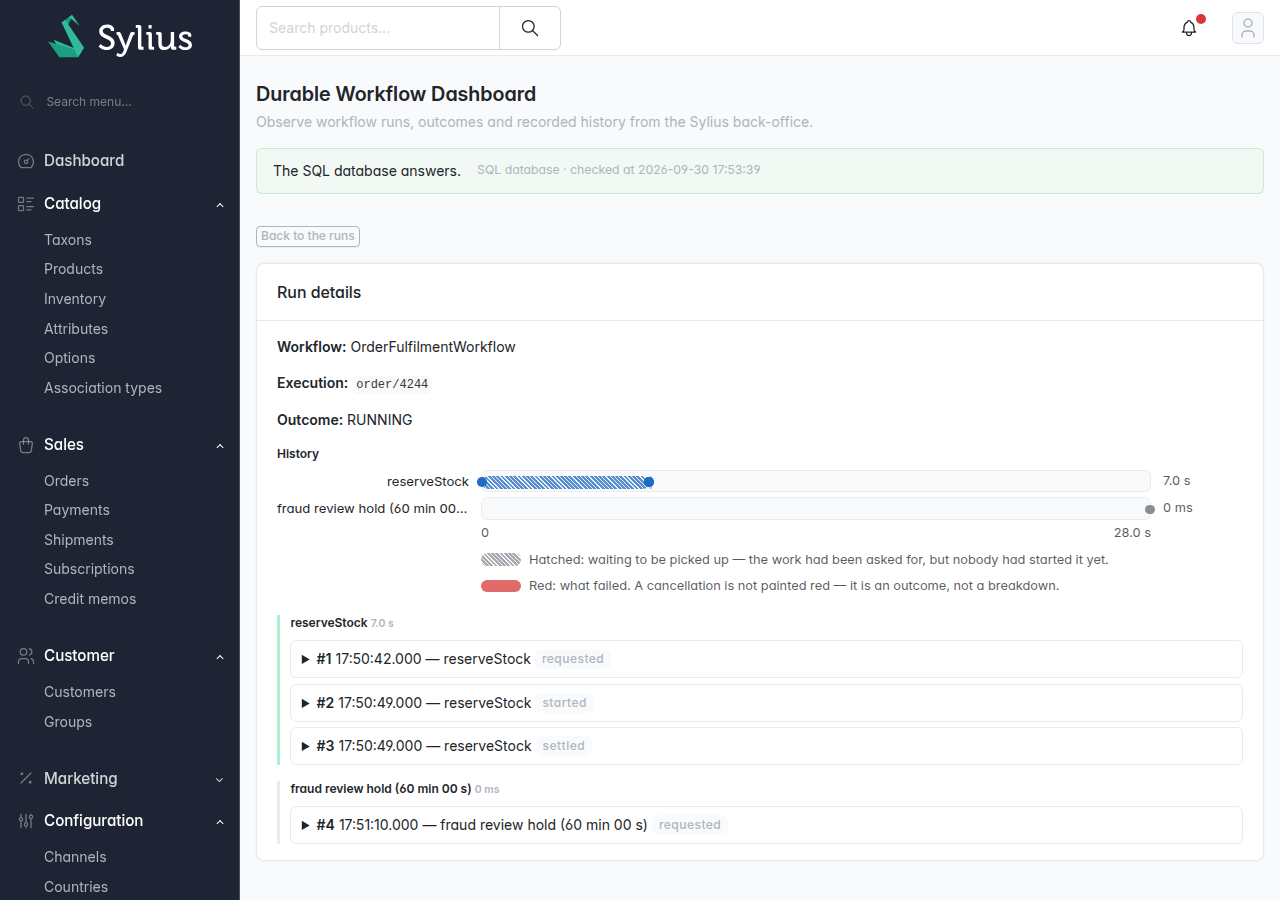
The run page of order/4244. The hatched stretch of reserveStock is the time the task spent in the queue before a worker picked it up; the timer that follows has been set and has not fired.
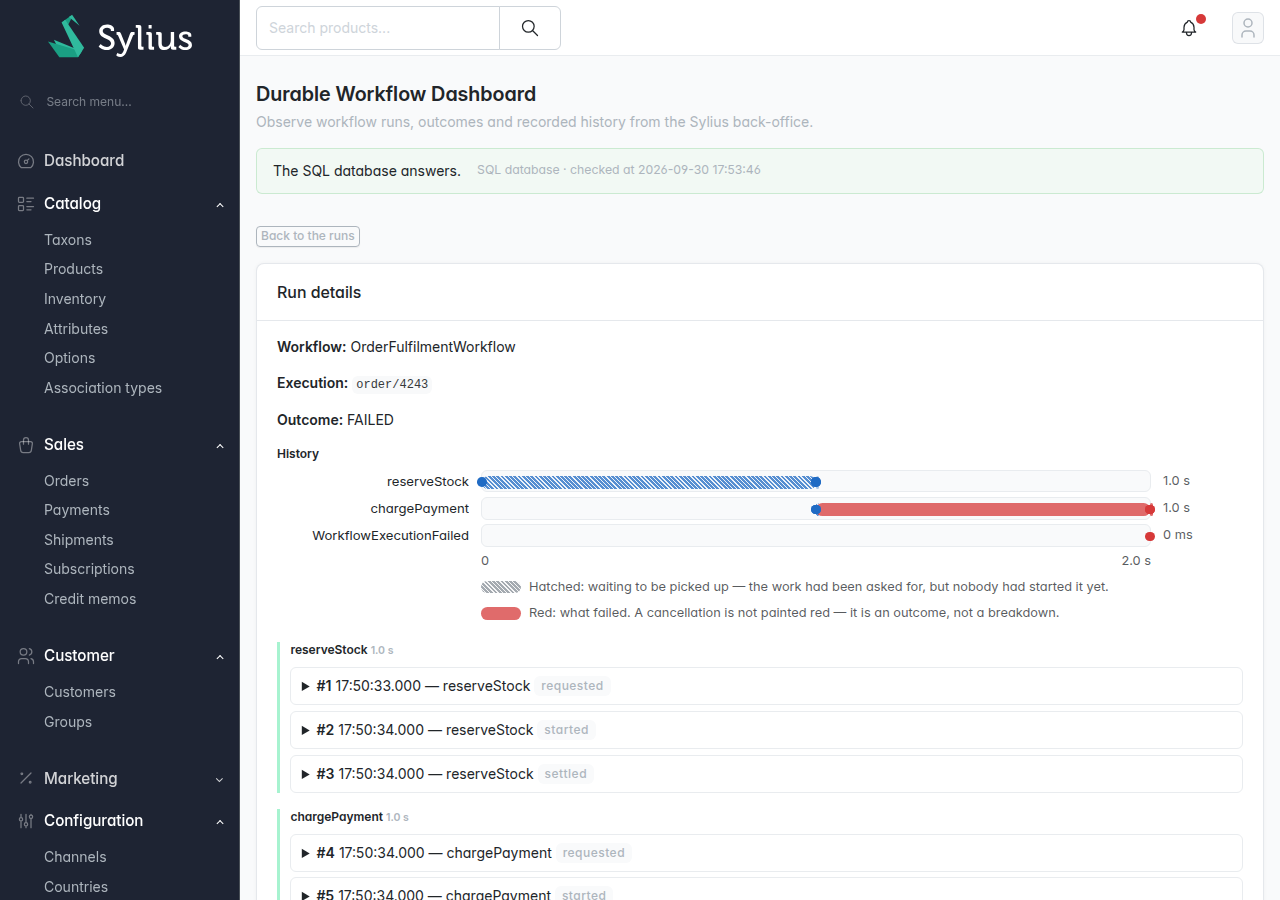
The run page of order/4243: chargePayment failed, and the run failed with it.
What the page offers#
- The backend state, above everything, dated, and one line per worker role when Temporal holds
the journal (the recorded steps of an execution and their results). On the
DBAL backend, one line reads “Could not ask”: Messenger keeps no list of the processes that run
bin/console durable:worker. The in-memory backend shows no worker line. - Counters per outcome, with a Waiting for a worker count, over the runs on the page.
- A filter on outcome, and on workflow name and execution id prefix where the backend can apply them.
- The run list, 20 a page, forward by cursor, with a First page link. Each row carries the
outcome, the workflow, the execution id, and a note:
waiting for a worker · 42 s, orwaiting on timer "grace period"…. - A run page, opened from a row: the workflow, the execution id, the outcome, its Nexus operations, and its history, one block per action, under a timeline. See Read a run.
Addresses#
The list lives at <admin path>/durable/runs and a run at <admin path>/durable/runs/<execution id>. The former <admin path>/durable/dashboard redirects to the list or to the run, so
bookmarks keep working.
Language and payloads#
The page is available in English and French. A payload unfolds on demand and is masked by the
service your application aliases to Gplanchat\Durable\Observation\PayloadRedactorInterface;
without one, the key-name redactor of the overview applies.
Known differences#
The run page and the grid cells follow the rules of the overview. The differences between the four surfaces are in Parity.